CapCut Login: Official Sign In Link and Troubleshooting Guide

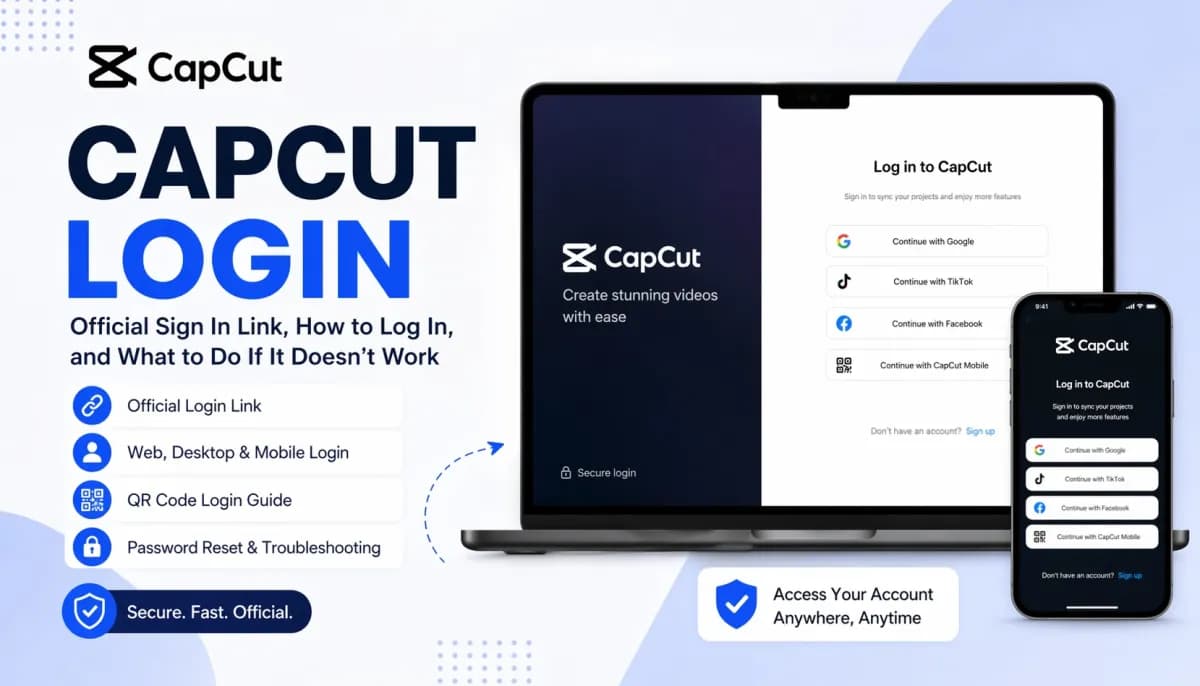
If you searched for “CapCut login,” you are probably looking for the fastest way to reach the official CapCut sign-in page. The official login page is on CapCut’s website, and from there you can sign in with options such as Google, TikTok, Facebook, or CapCut Mobile. CapCut’s help documentation also explains how login works on web, desktop, mobile, QR code sign-in, and password reset.
For most users, the best starting point is the official sign-in page here: CapCut Login. If you later want premium tools after logging in, you can also check this CapCut Pro option on dpremi.

Official CapCut Login Link
The safest way to log in is through the official CapCut login page on the CapCut domain. That matters because many users search “capcut login” and end up on unrelated third-party pages, old tutorials, or non-official content. The official page is the correct place to sign in and access your account.
Use this official page:
Once you open it, you will see the main sign-in options currently provided by CapCut. On the login page, CapCut shows sign-in methods including Google, TikTok, Facebook, and CapCut Mobile.
How to Log In to CapCut on the Web
If you want to use CapCut in your browser, the process is simple.
Steps on web:
Open the official CapCut login page.
Choose your preferred login method.
Complete the sign-in flow.
Access your CapCut workspace in the browser.
According to CapCut’s help page, CapCut Web supports Google account, TikTok account, Facebook account, and CapCut Mobile for cross-platform login. CapCut also notes that CapCut Web does not support Apple ID or phone number login.
That last detail is important. If you are trying to log in on the web with a method the browser version does not support, it may look like your account is broken when it is really just a method mismatch.
How to Log In to CapCut on Desktop
CapCut also supports login on PC. If you use CapCut on desktop, the login flow is slightly different from web but still straightforward.
Steps on dekstop:
Download and install CapCut PC.
Open the application.
Click Sign in in the top-left area.
Choose the same login method you originally used when creating your account.
CapCut’s help documentation specifically says that on PC, you should use the login method you originally used to register, and it also supports QR code login for cross-platform access.
That means if you originally signed up with Google, you should normally continue using Google rather than trying another method and expecting the same account to appear.
How to Log In to CapCut on Mobile
Many users first create their CapCut account on mobile and then later try to use the same account on desktop or web. In those cases, consistency matters.
On mobile, sign in with the same identity you used before, such as:
Google
TikTok
Facebook
Email-based account where applicable
CapCut’s support materials emphasize cross-platform login and account consistency, which is especially relevant when moving between mobile and web or mobile and desktop.
How to Log In to CapCut with a QR Code
QR code login is one of the easiest ways to access CapCut on web or desktop without manually typing credentials.
CapCut provides a dedicated QR sign-in flow. The basic process is:
Open CapCut on web or PC and choose Use QR code or Continue with CapCut Mobile.
Open the CapCut mobile app.
Go to the Me page and use the Scan function.
Scan the QR code shown on your browser or PC screen to log in automatically.
CapCut also notes that the mobile app needs to be version 8.7.0 or later to scan the QR code.
This is especially useful if:
you already stay signed in on your phone,
you want a faster login,
you want to avoid password entry on shared or secondary devices.
Forgot Your CapCut Password?
If you forgot your password, CapCut has an official password reset page.
Use:
CapCut states that it will email you a link to reset your password. Their help documentation also says that on the web, if you forgot your password or want to create a new one, you can reset it from the official password reset page by entering the email linked to your account.
One important note: if your CapCut account was created through Google, TikTok, Facebook, or Apple, your password may be managed through that provider rather than through a standalone CapCut password flow.
Why Is CapCut Login Not Working?
If CapCut login fails, the problem is often one of a few common issues rather than a true account loss.
1. You are using the wrong login method
This is one of the most common reasons. If you signed up with Google and later try Facebook or another identity, CapCut may treat that as a different account path. CapCut’s help page explicitly tells users to choose the method they originally used to register.
2. The QR code is not showing
CapCut explains that the QR code only appears on supported platforms and when you are not already logged in. It also says both devices should be linked to the same CapCut account ecosystem, and that network restrictions like office firewalls can block QR image loading.
3. Your browser or network is causing issues
If the page does not load properly, try:
switching browsers,
clearing cache,
turning off restrictive extensions,
changing networks,
testing mobile hotspot instead of office Wi-Fi.
The network point is consistent with CapCut’s troubleshooting guidance for QR-related loading issues.
4. You need a password reset
If you used an email-based login and cannot remember your password, the official reset page is the right next step.
Can You Use CapCut for Free After Login?
Yes, logging in gives you access to your CapCut account and workspace, but CapCut also promotes additional features through its upgraded offerings. On the login page itself, CapCut encourages users to sign up or sign in to unlock features, and the broader platform promotes editing, AI tools, templates, and cross-device workflows.
In practice, many users search for CapCut login first, then later realize they want:
more advanced editing tools,
premium templates,
extra effects,
better workflow access for frequent content creation.
That is usually the point where CapCut Pro becomes relevant.
Want More Than Just CapCut Login? Consider CapCut Pro
If your goal is not only to sign in but also to get more value from CapCut, a Pro plan can make sense for creators, editors, marketers, and short-form video teams who use the platform regularly.
A practical next step is this internal option:
This works well for users who have already solved the login issue and now want access geared toward heavier use.
Quick Tips Before You Leave
Before assuming your CapCut account is broken, check these basics:
Make sure you are on the official login page.
Use the same sign-in method you used originally.
Try QR code login if you are already signed in on mobile.
Reset your password if needed.
Test another browser or network if the page behaves strangely.
For official CapCut resources, these pages are the most useful:
FAQ
What is the official CapCut login page?
The official login page is on CapCut’s own domain, at CapCut Login.
Can I log in to CapCut with Google?
Yes. CapCut’s login page and help documentation show Google as one of the supported sign-in methods.
Does CapCut Web support Apple ID login?
CapCut’s help page says CapCut Web does not support Apple ID or phone number login.
Can I use QR code login for CapCut?
Yes. CapCut provides QR code login for web and desktop using the mobile app’s scan feature.
What should I do if I forgot my CapCut password?
Use the official password reset page and follow the email reset flow.
Where can I get CapCut Pro after logging in?
You can check this internal page for a CapCut Pro option: CapCut Pro on dpremi.