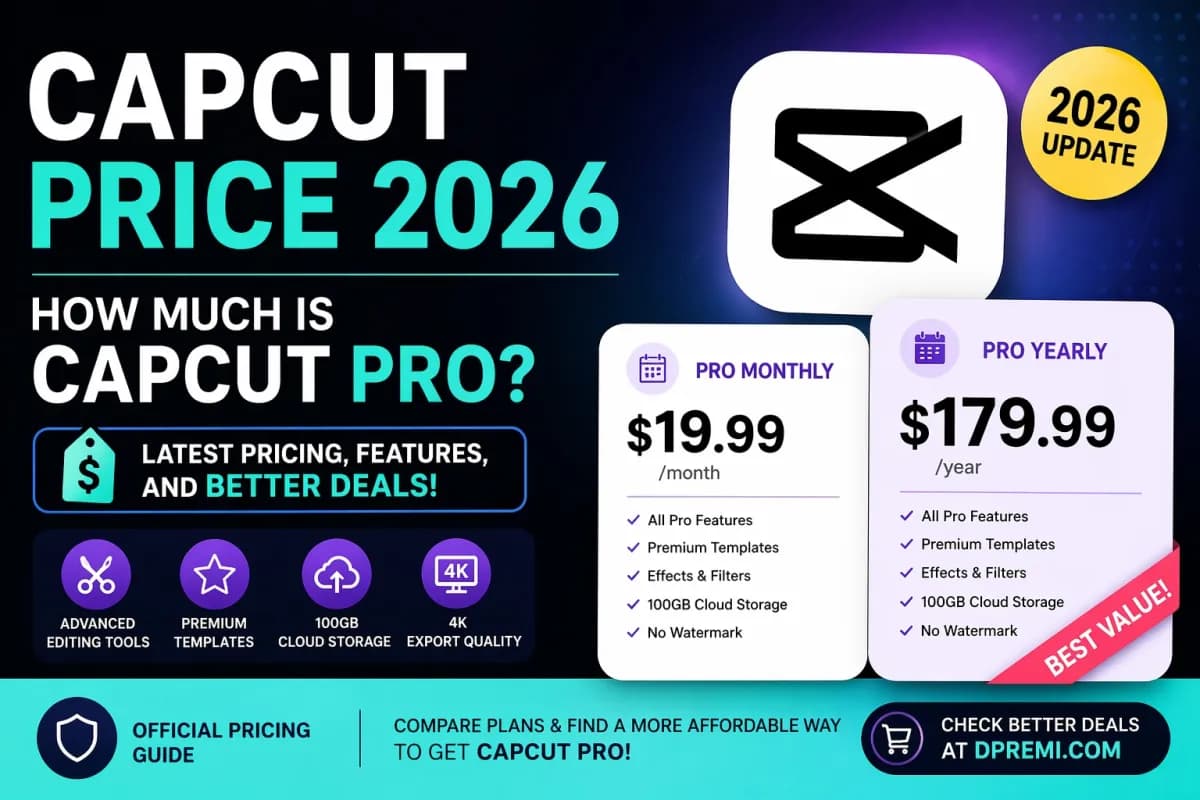
If you are searching for “CapCut price”, you are most likely looking for one thing: how much CapCut Pro costs right now, what plan is worth buying, and whether there is a more affordable option. As of 2026, CapCut officially offers monthly and annual Pro plans, while the exact amount can vary depending on your country, device, taxes, and promotions. On one official CapCut pricing resource, the individual monthly plan is listed at $19.99/month and the yearly plan at $179.99/year, but CapCut also states that pricing can differ by region and platform. Source
For many users, the real question is not only “What is the CapCut Pro price?” but also “Is it worth it?” and “Can I get CapCut Pro at a lower price?” In this guide, you will find the current pricing structure, what is included in CapCut Pro, and a practical way to compare the official plan with a more budget-friendly alternative such as DPREMI’s CapCut product page.
What Is the Current CapCut Pro Price?
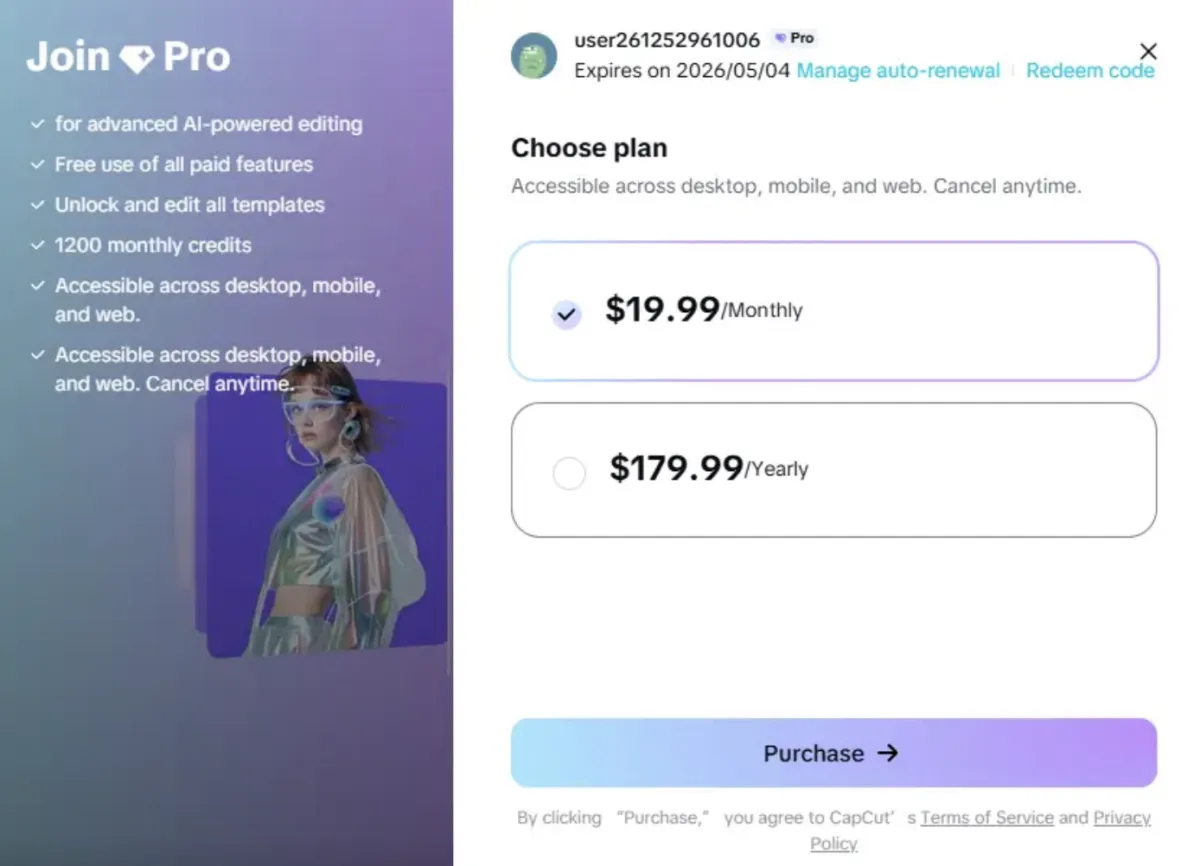
CapCut’s official help center explains that CapCut Pro typically comes in monthly and yearly subscription options. That means users can choose between short-term flexibility and a longer-term commitment depending on how often they edit videos. Source
CapCut Pro Monthly Price
Based on CapCut’s official comparison content, the monthly price for CapCut Pro is listed at $19.99 per month for individual users. This plan is usually the best fit for people who want to use premium features for a short campaign, a temporary content project, or a trial period before committing to a longer subscription. Source
A monthly plan is often attractive because it gives you flexibility. You can subscribe when you need premium editing tools, then stop when your workload slows down. For creators who only edit occasionally, that can feel more practical than paying for a full year upfront.
CapCut Pro Yearly Price
The same official CapCut resource lists the annual individual plan at $179.99 per year. When compared with paying $19.99 every month for 12 months, the yearly plan generally offers better long-term value for people who use CapCut Pro regularly. Source
If you are a content creator, marketer, freelancer, or business owner who edits videos consistently, the yearly plan may be the more economical choice over time. Instead of thinking only about the upfront cost, it helps to look at the total yearly expense.
Why the CapCut Price Can Look Different for Different Users
One reason many people get confused when searching “CapCut price” is that the number they see may not match what someone else sees. CapCut itself explains that pricing can vary because of regional pricing, taxes, exchange rates, device differences, and promotional adjustments. CapCut also notes that the desktop version may show a different price from the mobile version. Source
So if you notice different prices in the App Store, desktop app, or browser version, that does not automatically mean one source is wrong. It usually means CapCut uses different pricing logic depending on platform and local market conditions.
What Do You Get With CapCut Pro?
When users search for the CapCut Pro price, they usually want to know whether the premium version actually gives enough value to justify paying for it. According to CapCut’s official help resources, both monthly and annual Pro plans unlock premium features, templates, advanced tools, effects, filters, and cloud storage. Source
Premium Editing Tools and Assets
CapCut Pro is designed for users who want more than the free version offers. Premium access typically includes advanced editing tools, exclusive templates, video effects, body effects, and filters that are not fully available on the free plan. Source
This matters for creators who want faster editing workflows, a more polished visual result, and better creative flexibility. If you produce videos for TikTok, Reels, YouTube Shorts, product ads, or personal branding, premium assets can save both time and effort.
Cloud Storage and AI-Related Benefits
CapCut’s official help page states that its monthly and annual Pro plans include 100GB of cloud storage. In another official 2026 pricing-related explanation, CapCut says some price increases may be related to plan upgrades, including higher AI point allowances and larger storage benefits on certain upgraded plans. Source
CapCut also explains that, as of 2026, its ecosystem includes credits used for advanced AI-powered features, and those credits are separate from the Pro subscription itself. In other words, a Pro plan unlocks premium membership benefits, while certain advanced AI functions may depend on a separate credit system. Source
Better Export and Professional Workflow
CapCut’s official billing explanation says Pro plans are intended to unlock ongoing access to editing tools, watermark-free output, cloud storage, and in some cases bonus credits. CapCut content about team collaboration also mentions exports up to 4K resolution for supported workflows. Source
For serious users, this is often the biggest reason to upgrade. A free app may be enough for casual edits, but a premium plan becomes more attractive when you need consistent quality, smoother asset access, and professional output.
Is CapCut Pro Worth the Price?
Whether CapCut Pro is worth the price depends on how often you edit and what kind of content you create.
CapCut Pro Is Worth It for Frequent Creators
If you edit videos every week, post regularly on social media, work with clients, or create branded content, CapCut Pro can be worth the cost because it reduces friction in your workflow. You get faster access to premium assets, more polished exports, and features that help your content look more professional. CapCut’s official resources clearly position Pro as the plan for users who need more advanced tools and a better creative experience. Source
The Monthly Plan Is Better for Short-Term Needs
If you only need CapCut Pro for one project, one month of work, or a temporary content push, the monthly plan can make sense. It keeps your upfront spending lower and lets you test the premium experience before deciding whether to keep it long term. CapCut also notes that users can subscribe based on their creative needs and timing. Source
The Yearly Plan Is Better for Long-Term Savings
If you already know you will use CapCut regularly, the annual plan usually offers better value than paying month by month. For many users, that is the simplest way to reduce the effective monthly cost while keeping full access to Pro features throughout the year. Source
CapCut Free vs CapCut Pro
The free version of CapCut can still be useful, especially for beginners or casual editors. But if your search intent is specifically “capcut price”, there is a strong chance you are already considering the premium version because you want more than the basics.
CapCut Pro is the better fit if you want:
broader access to premium templates and effects
more advanced editing features
cleaner export options
cloud storage for managing projects
a more serious editing workflow overall
For occasional use, the free version may be enough. For consistent creation, Pro becomes easier to justify.
Can You Get CapCut Pro at a Lower Price?
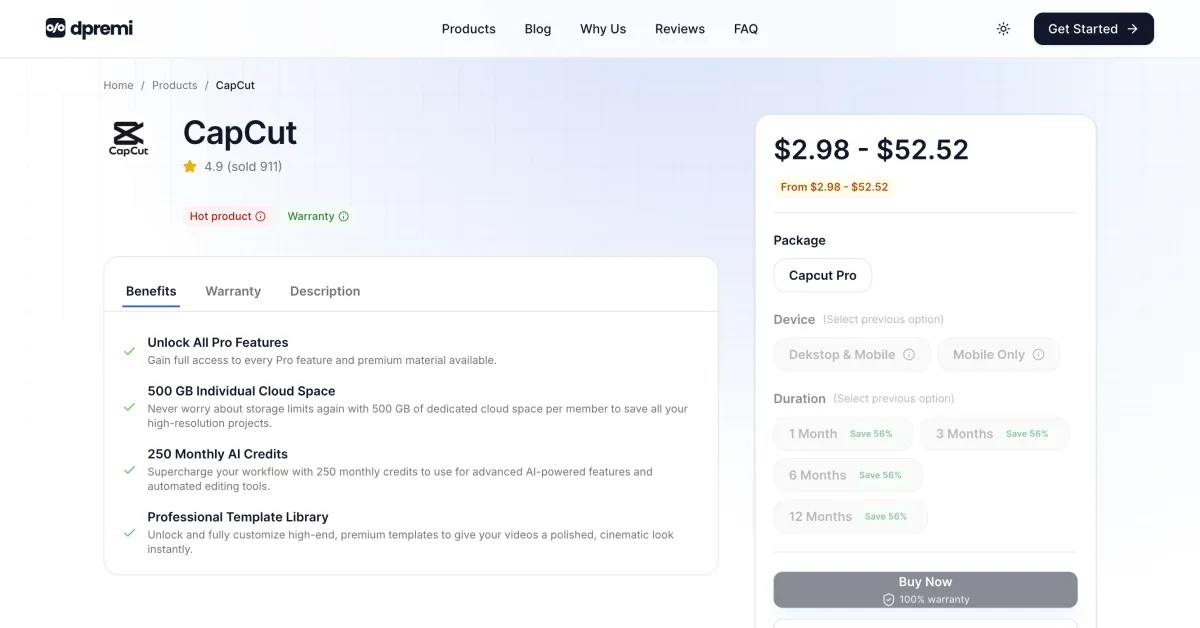
This is where many buyers start comparing options.
If the official CapCut Pro price feels too high for your budget, it makes sense to look at alternative purchase options before making a decision. Many users do not necessarily want the cheapest option at any cost. They want a balance between affordability, convenience, and reliable access.
One practical option is to compare the official plan with DPREMI’s CapCut Pro offering. This can be useful for buyers who want to explore a more affordable entry point for premium access.

A More Affordable Way to Buy CapCut Pro
If your goal is to use premium CapCut features without paying the highest official subscription price, it is reasonable to compare other available purchase options. A good starting point is DPREMI CapCut, where you can review the available package choices and see whether one of them fits your budget better.
This kind of comparison is especially relevant for:
students
beginner creators
social media managers
small business owners
budget-conscious buyers who still want premium features
The main advantage of comparing options is simple: you may find a plan that helps you access the features you want at a lower starting cost, while still matching your actual editing needs.
How to Choose the Best CapCut Plan for Your Needs
Choosing the right plan is easier when you start with your real usage pattern.
Choose Monthly If:
You only need CapCut Pro for a short project, campaign, or seasonal content push. The monthly plan is also useful if you want to test the Pro experience before deciding whether a longer commitment is worth it.
Choose Yearly If:
You create content consistently and already know that video editing is part of your weekly or monthly workflow. In this case, the annual plan often offers the better overall value. Source
Compare Alternative Options If:
You want CapCut Pro features but want to reduce the upfront spending. In that case, comparing the official plan with a seller such as DPREMI can help you find a more budget-friendly route.
Where to Check Official CapCut Pricing
If you want to verify the official CapCut information directly, these references are useful:
These official sources are important because CapCut states that pricing may change depending on country, platform, and promotions. Source
FAQ About CapCut Price
How much is CapCut Pro per month?
One official CapCut comparison page lists the individual monthly plan at $19.99/month, though actual pricing may vary by region and platform. Source
How much is CapCut Pro per year?
One official CapCut pricing comparison page lists the annual individual plan at $179.99/year, but local pricing may differ. Source
Why is CapCut more expensive on one device than another?
CapCut explains that prices may differ across mobile and desktop, and can also vary due to region, taxes, exchange rates, and promotions. Source
Does CapCut Pro include AI features?
CapCut’s 2026 help content shows that AI-related features may involve a credit system separate from standard membership benefits. Some Pro-related benefits may include bonus credits, but credits themselves are not the same as a Pro plan. Source
Is CapCut Pro worth buying?
For regular creators, marketers, and businesses that edit video often, CapCut Pro can be worth buying because it offers access to premium assets, advanced tools, and a better editing workflow. Source
Where can I buy CapCut Pro at a lower price?
If you want to compare more affordable options, you can check DPREMI CapCut Pro and review whether the available package fits your budget and needs.
Final Verdict
If you searched for “capcut price”, the short answer is this: CapCut Pro officially comes in monthly and yearly plans, and one official CapCut pricing page lists them at $19.99/month and $179.99/year for individual users, although prices can vary depending on region and platform. Source
CapCut Pro is generally worth considering if you edit videos frequently and want better tools, premium assets, cloud storage, and a more professional workflow. But if the official cost feels too high, it makes sense to compare alternatives and look for a more affordable option.
For that reason, a practical next step is to compare the official CapCut plan with DPREMI’s CapCut Pro offer and decide which one gives you the best value for your budget.